XMLViewer: Difference between revisions
No edit summary |
No edit summary |
||
| Line 4: | Line 4: | ||
Using this application you can create a simple lookup table (translation) so that when the data is displayed on screen you can toggle between the native element names and a more understandable description. | Using this application you can create a simple lookup table (translation) so that when the data is displayed on screen you can toggle between the native element names and a more understandable description. | ||
The program does not change the original file - it simply displays it an a potentially more user friendly format. | |||
[[File:xmlviewer_example1.png|link=|border|800px]] | [[File:xmlviewer_example1.png|link=|border|800px]] | ||
Latest revision as of 13:50, 21 February 2026
XML Viewer is designed to allow you to view XML Documents via a Java Application - but rather than simply showing the raw xml document it attempts to present the information in a far more user friendly and understandable way.
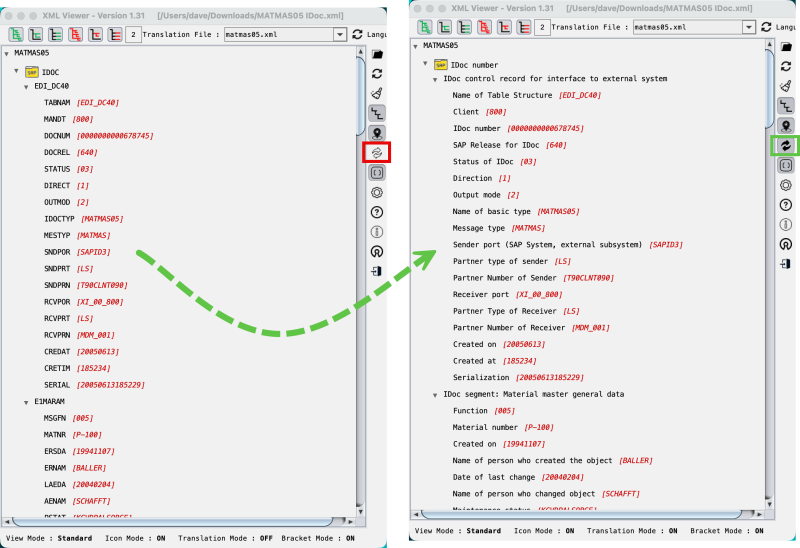
Let's take an example file which is a SAP Material Master message. The element names in the xml are all very short and cryptic and rather difficult to remember.
Using this application you can create a simple lookup table (translation) so that when the data is displayed on screen you can toggle between the native element names and a more understandable description.
The program does not change the original file - it simply displays it an a potentially more user friendly format.